

One employee record across all modules. Switch on only what you need.

Compare modules

Support & learning

Help CentreSearch every module, step by step.FAQsQuick answers, grouped by module.Create TicketRaise an issue and track it to resolution.
Remote Support UnavailableBook a screen-share with the support team.
Release Notes UnavailableWhat changed in the latest version.
Compliance Hub UnavailableFSS, FS3/FS5 and Maltese payroll guidance.
Contact SupportTalk to a person on the island.

Support is Malta-based.

Focus or hover over the offer strip to pause its movement.

Biometric punch clocks · terminal, web & mobile

Manage your workforce from hire to retire.

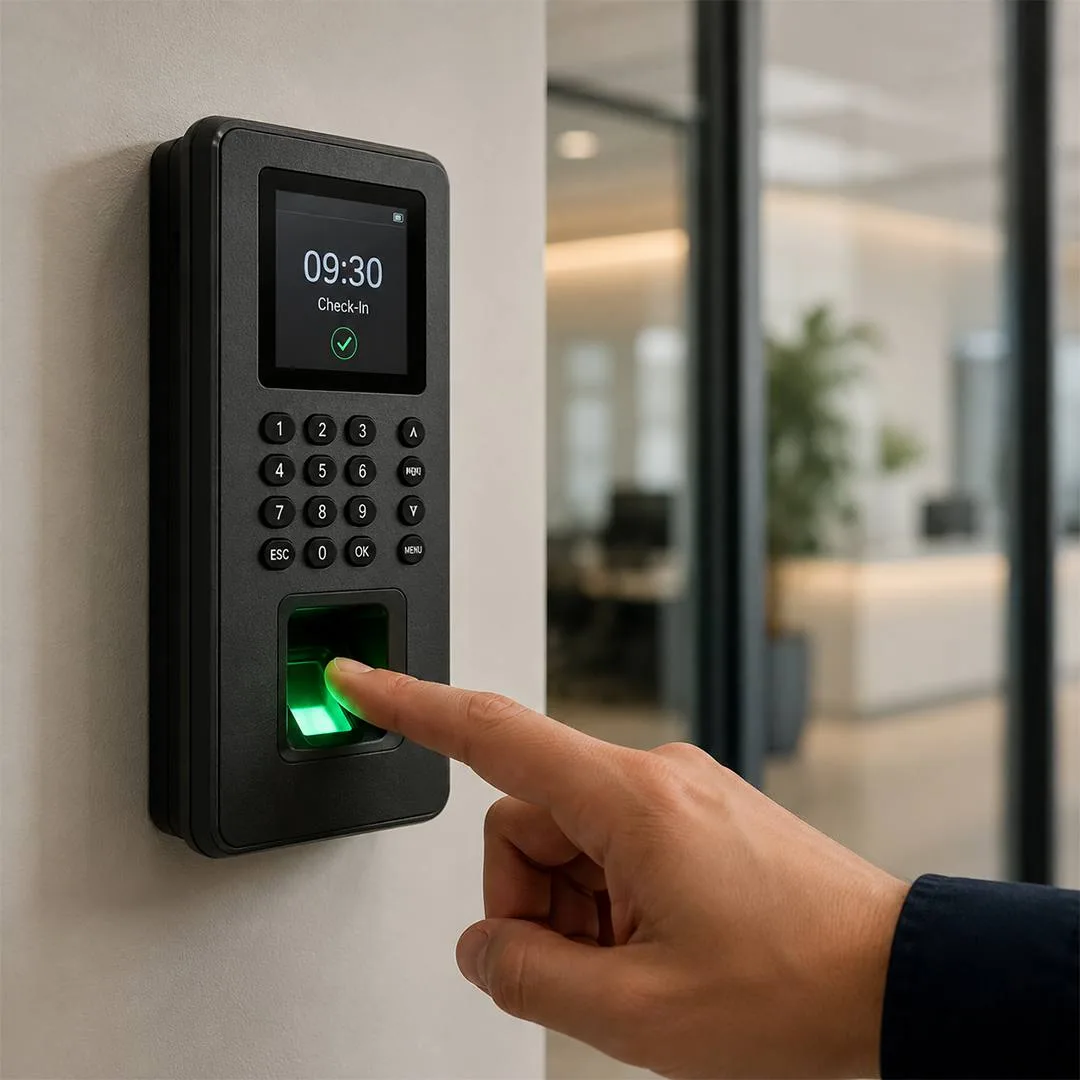
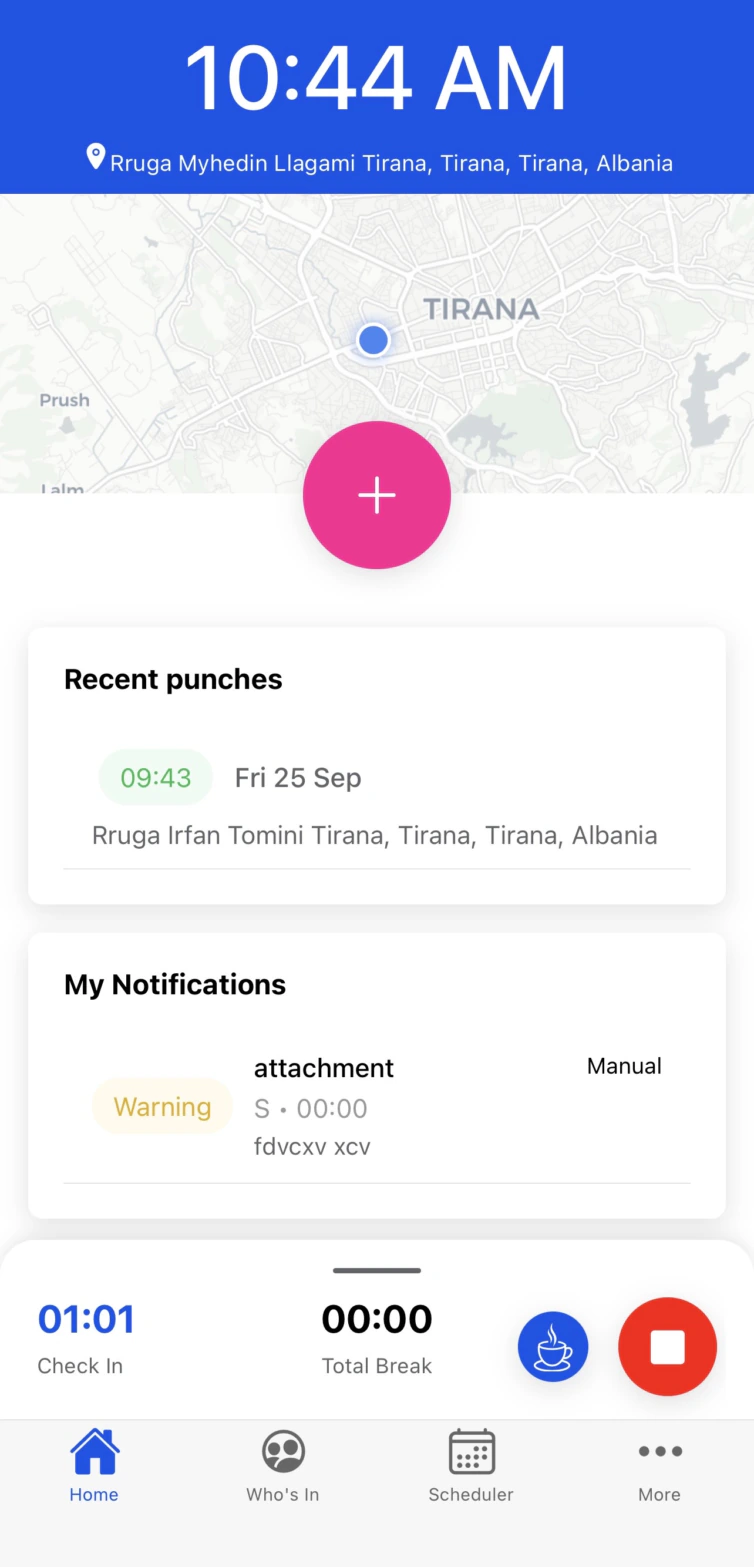
Clock in your way — with a punch clock using fingerprint, facial recognition, PIN or card, or straight from the mobile app or by Kiosk. Every clock-in syncs instantly with attendance, overtime, and leave, keeping everything accurate, organised, and payroll-ready. Talk to our Malta-based team about the setup that fits your workplace.

  • Face recognition
  • PIN code
  • Badge tap
  • Geo-fenced mobile
See the punch clocks
Face · PIN · Badge
three ways to clock in
Cloud based
nothing to install on site

Two minutes, whole platform

See how Communicator Cloud brings workforce management together

One intelligent platform connecting attendance, mobile workforce tools, analytics, devices, payroll, patrols and project costings — turning everyday workforce activity into clear insights, smarter decisions and greater control.

  • 142 clocked inlive · 07:58
  • Roster published1–7 Jun
  • Geo-fence confirmedsite verified
  • Payroll exportedFSS ready

The platform

Eight modules. One system of record for everyone who works for you.

Attendance, mobile, rosters, devices, analytics, payroll, patrols and costings share the same data — so a clock-in at the door reaches the payslip without anyone retyping it.

01 — 08 · scroll to explore

Attendance module

Time tracking you can trust — right through to payroll

Bring every working hour into one reliable system. Data from biometric punch clocks, kiosks and the mobile app flows seamlessly into a single platform — improving accuracy, supporting compliance, reducing payroll leakage and giving you the insight to forecast, budget and plan with confidence.

“No more paperwork. No more scattered spreadsheets. Just one clear view of your workforce.”
Planner
Simplifies rosters, leave and workforce availability overview.
Shifts
Assigned to departments, groups and individuals.
Leave
Overviews, quick approvals and automatic notifications to staff.
Over time
Customisable regular and holiday rates, triggers, minimums and roundings.
Clock-ins
Night shifts and multiple breaks calculated automatically.
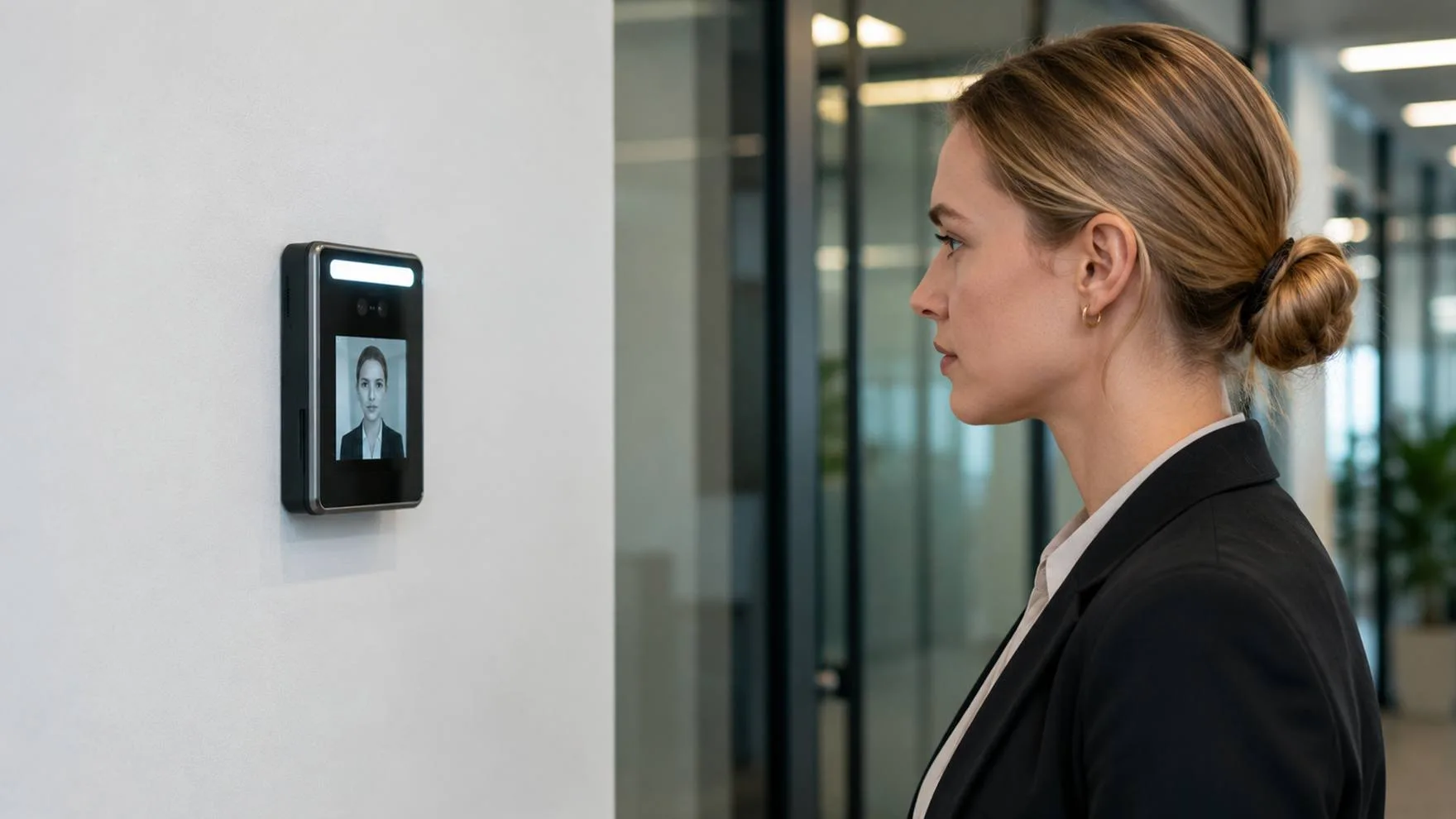
An employee looking into a wall-mounted face recognition terminal
Rita Vella clocked in07:58 · Luqa

Rita clocks in at the door — the timesheet updates before she reaches her desk

Attendance · today

Live
Team memberShift and clock-in method
Rita Vella 06:00–14:00 · Face
Maria Borg 08:00–16:00 · Face
James C. 09:00–19:00 OT 2h
Stefan Grech 12:00–20:00 · scheduled
Night crew 22:00–06:00 · 2 breaks

Planner

Scheduling, planning and roster built for casual teams.

Running a business on casual workers alongside a core team means planning ahead — getting the right people, with the right expertise, to the right site at the right time, without labour costs drifting past budget.

“Prepare a plan or plan to fail”
Roster
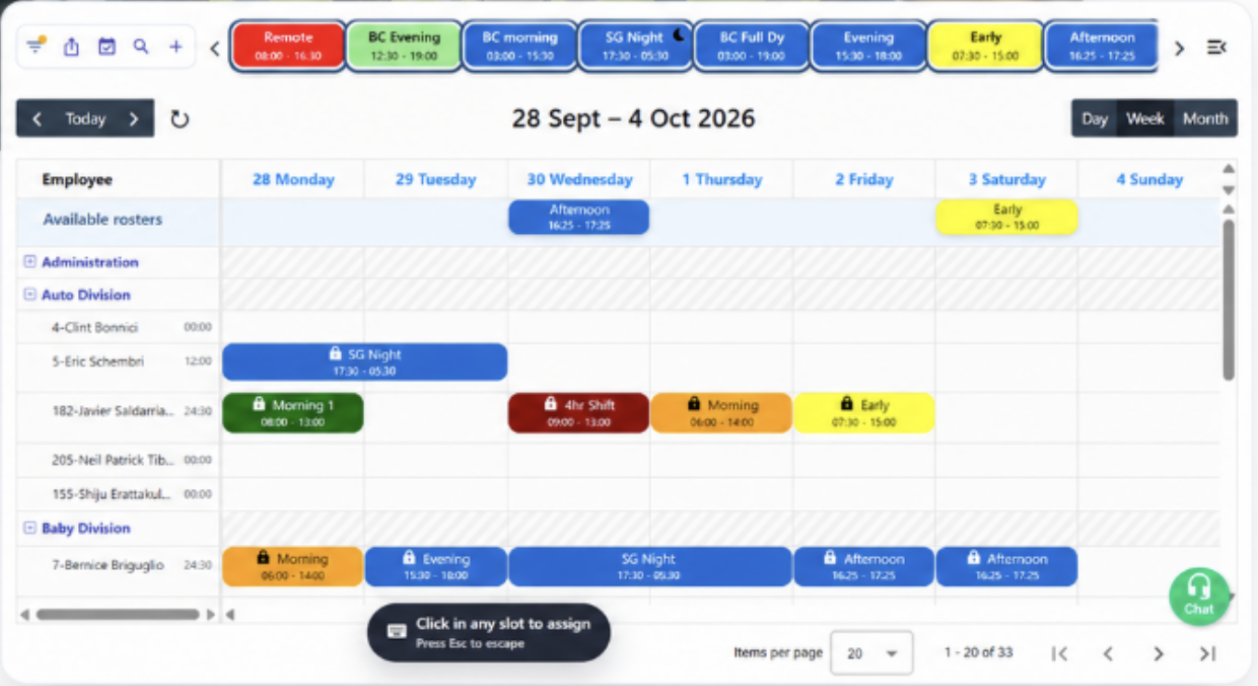
Create rosters, define working hours, assign colours, drag and drop.
Bulk schedule
Repeat daily, weekly or on specific days for multiple employees.
Available roster
Casual workers view and choose open rosters on the mobile app.
Multiple views
Filter by department, roster, leave, clock-ins and notes.
Total hours
Keep an eye on hours assigned to each employee against budget.
Two site workers checking their shifts on their phones
Roster published1–7 Jun · 5 sites

Next week goes out to five sites in one publish

Planner · 1–7 Jun

Drag & drop
Team memberMonTueWedThuFri
Alfie AceNo shiftKitchen14:00–19:00Kitchen09:00–14:00No shiftOpen shiftAvailable
Katy BrooksStores 108:00–14:00Stores 108:00–14:00Stores 108:00–14:00Stores 108:00–14:00Stores 108:00–14:00
David BecksBar09:00–14:00Bar09:00–14:00Bar16:00–19:00Bar09:00–14:00Bar16:00–19:00
Jeff StoneKitchen14:00–19:00Server16:00–19:00No shiftKitchen14:00–19:00No shift
Ed PetersonClinics 108:00–14:00Clinics 108:00–14:00Clinics 108:00–14:00Clinics 108:00–14:00Clinics 908:00–15:00
Total hours assigned186.5 / 200 budget

Communicator Pro

The mobile app that goes where the work is

Communicator Pro extends the platform beyond the office. Employees clock in, view schedules and submit leave or overtime wherever they are, while managers gain real-time visibility of attendance and can respond to absences as they happen.

“Where is everybody?”
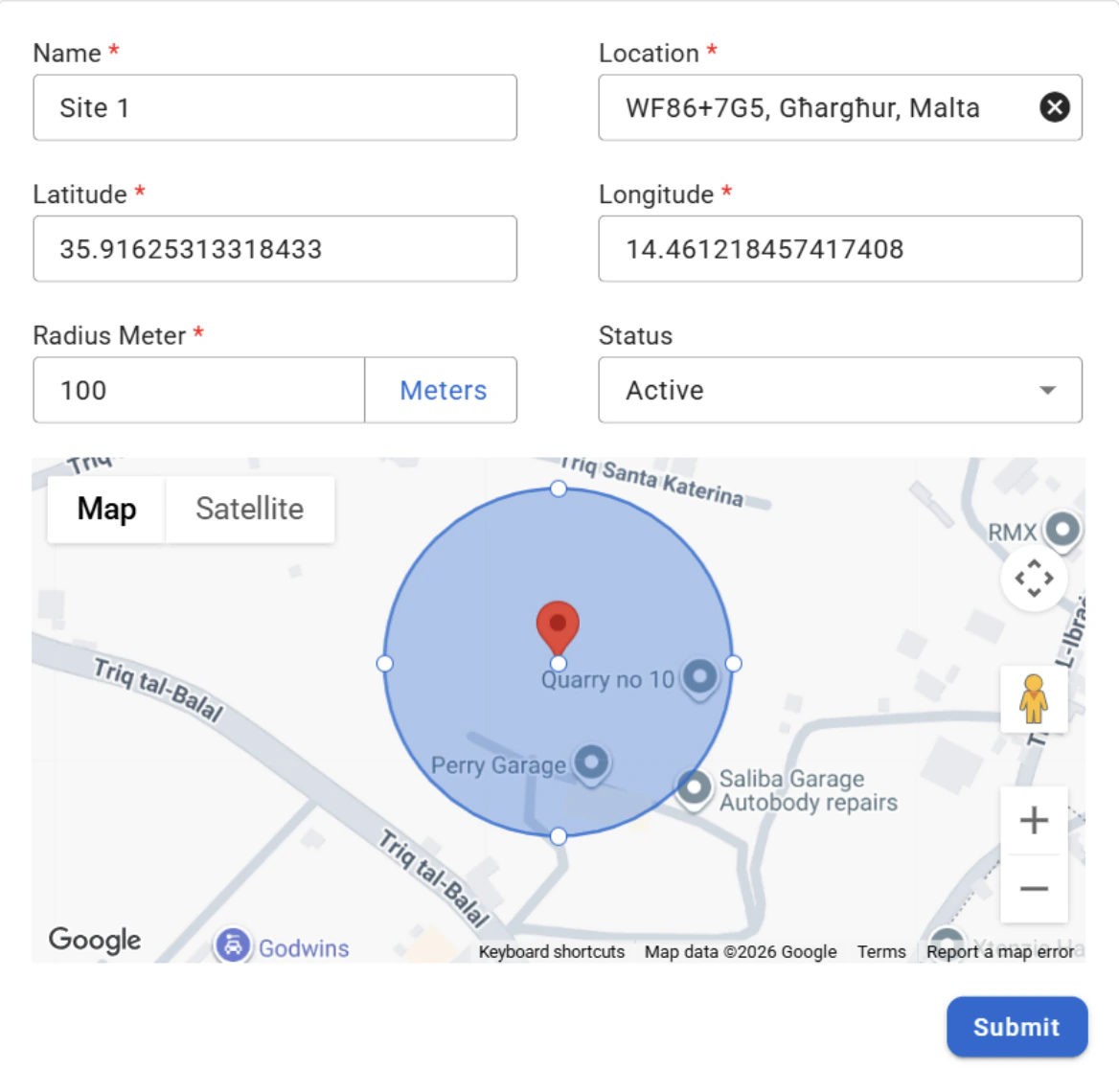
Geo-fencing
Clock in and out from a phone, with GPS confirming the correct site.
Notifications
Staff view weekly schedules and receive instant notifications.
Requests
Submit leave requests and missed punch corrections.
Who's in
Managers see a live overview and approve or reject requests.
Sync
Data syncs automatically, feeding accurate hours instantaneously.
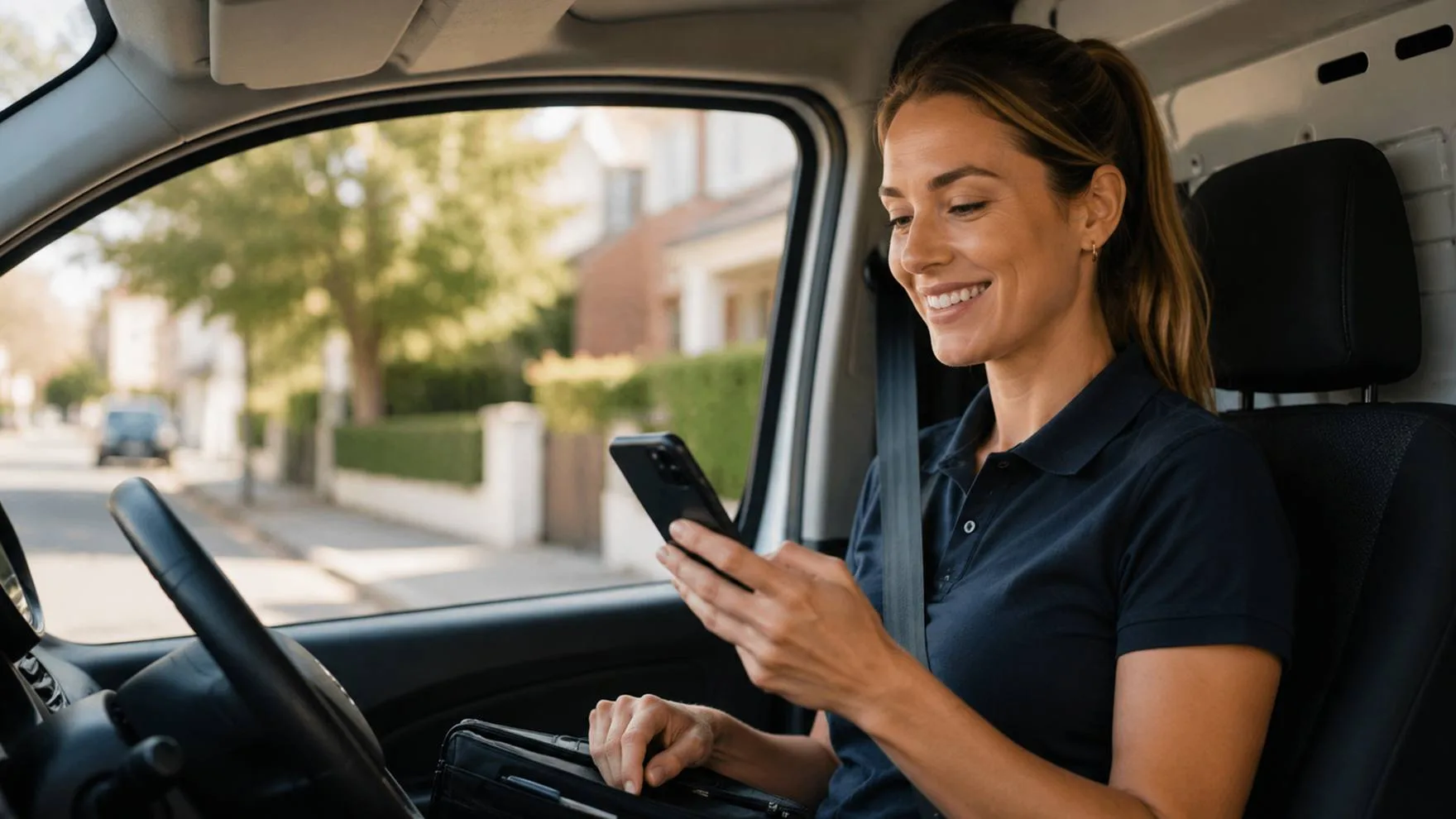
A field worker clocking in from the cab of her van
Geo-fence confirmedLuqa · on site

Clocking in from the site, not the office

Communicator Pro

Geo-fencing
Communicator geofence setup showing an active site with a 100-metre radius on the map.

Hardware and software

Devices and biometrics at every door

Biometric devices, kiosks and mobile apps capture clock-ins one way. Employees authenticate with fingerprints, RFID cards or phones — reducing errors, preventing buddy punching, and pushing attendance into scheduling, payroll and compliance without manual intervention.

“Stop buddy punching, reduce errors”
Devices
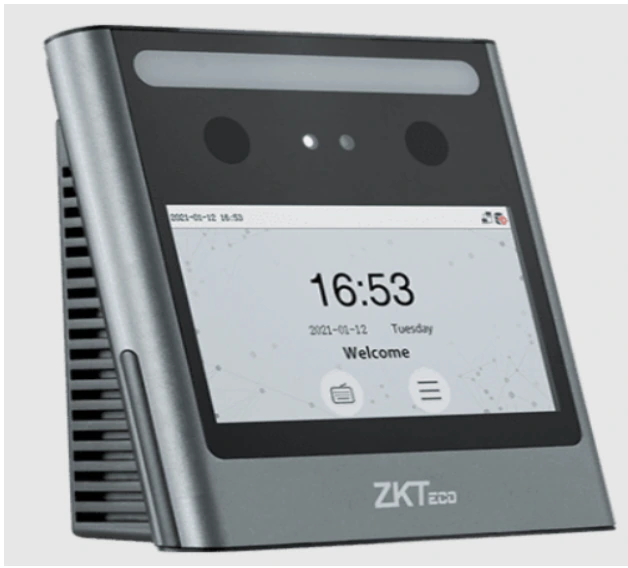
Biometric technologies such as face recognition to identify personnel.
RFID
Where biometrics are restricted, cards are an alternative way to clock in.
Kiosk
Downloadable on a tablet, ideal for small teams.
NFC
Tag equipment or locations with NFC tags.
Mobile app
Indispensable for remote working and geographically dispersed teams.
ZKTeco face recognition time and attendance terminal
Badge acceptedJoe Farrugia · Gate 2

Face, badge or PIN — whichever suits the door, whoever is on shift

Devices & biometrics

5 ways to punch
Communicator Pro mobile app with the clock-in map, recent punches and break controls.
  • Face recognitionterminal
  • RFID cardrestricted sites
  • Tablet kiosksmall teams
  • NFC tagequipment & locations
  • Mobile appdispersed teams

Insights, workflow and communication

Raw punches, turned into decisions

Visual dashboards, filters and exportable reports track attendance patterns, overtime usage and compliance — enabling informed decisions that improve productivity and workforce transparency.

“Let your data work for you”
Employee portal
Staff view assigned shifts, track recent clock-ins and request leave.
AI
Assists users and intelligently flags anomalies.
Approvals
Requests routed to supervisors for timely, consistent decisions.
Data analysis
Organise, filter, import and export, and integrate with third-party applications.
Notifications
System and manual notifications by email, WhatsApp and mobile app.
A manager reviewing workforce data on a laptop
Report exportedweek 32

Yesterday’s punches, already a decision

Data analysis

This week
1,290 ↑
Punches
94 ↑
Exceptions
308
OT hours
142 people on shift right now

AI insightUnusual late pattern detected in Logistics — 3 weeks running.

Payroll module

Payroll and compliance, fed by the clock

Salary, tax and contribution calculations centralise in one platform. Automated rules, timekeeping integration and standard reports reduce human error and administration, while employees access payslips securely.

“Payslips on time, every time”
Enterprise
Generate payrolls for multiple companies and multiple frequencies.
Careers
View career progression over time — history, current and future positions.
Sync
Time and attendance feeds data directly into payroll.
Bank transfers
Integration with major banks ensures timely, secure payments.
Compliance
FSS reporting, simplified tax compliance, automated rate updates.
A payroll administrator working at her desk
Payslips published142 employees

Hours in, payslips out — nobody retypes anything

Payroll run · August

FSS ready
82%
Timesheets approved
  • Hours imported from attendanceauto
  • Overtime rates appliedrules
  • Tax & contributions calculatedFSS
  • Payslips published to portalsecure
  • Bank transfer file2 days

Patrol module

Proof that the round was walked

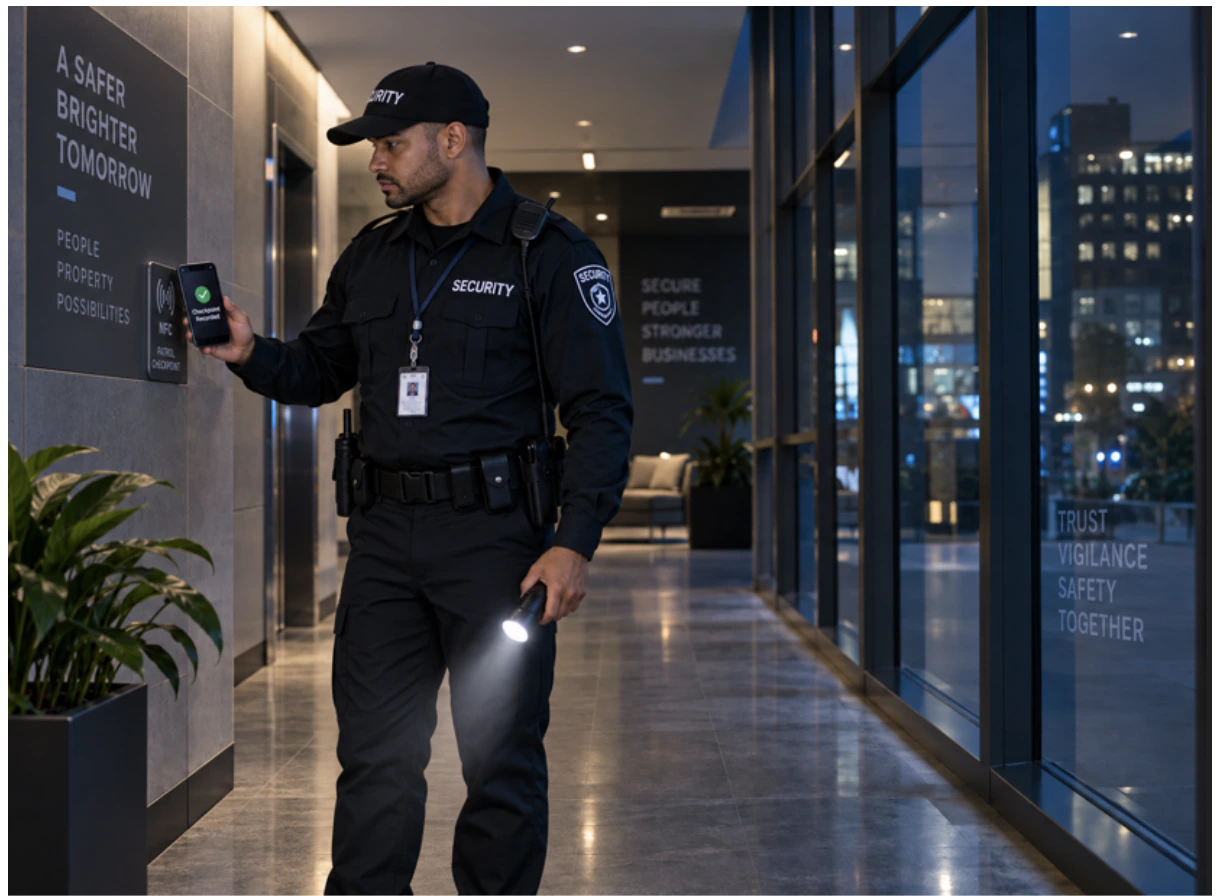
Using NFC-enabled phones, security staff scan scheduled checkpoints — logging who scanned, the exact time, notes, photos, missed scans and on-time performance. Real-time reports verify patrol completion and give managers clear evidence.

Checkpoints
Security personnel scan checkpoints with their mobile phones.
Scheduling
Assign schedules to the security team to always cover the project.
Reporting
Live reporting of all sites, identifying on-time and late scans.
Images
Add images to document damages or irregular activity.
Notes
Document suspicious activity or alert maintenance to urgent repairs.
A security officer recording a checkpoint scan

Every checkpoint, timed and evidenced

Patrol report with four checkpoint visits, scheduled and scanned times, on-time or wrong-time results, notes and picture attachments.

Projects module

Hours recorded against the work itself

Aligning project management with time and attendance strengthens governance. Recording hours directly against activities supports budgeting, capacity allocation and milestone tracking, giving decision-makers auditable data to manage deadlines.

“Meet your deadlines”
Workcodes
Assign billable hours of individual team members to specific projects.
Tasks
Assign job cards including details such as materials and location.
Suppliers
Request, reconcile and pay purchase orders.
Clients
Detailed breakdown of billed hours, issue invoices, apply different rates.
Analysis
Project progress at a glance, flag tasks complete, monitor productivity.
An engineer recording work against a job card on a tablet
Job card closedPhase 2

Hours booked against the job, not the month

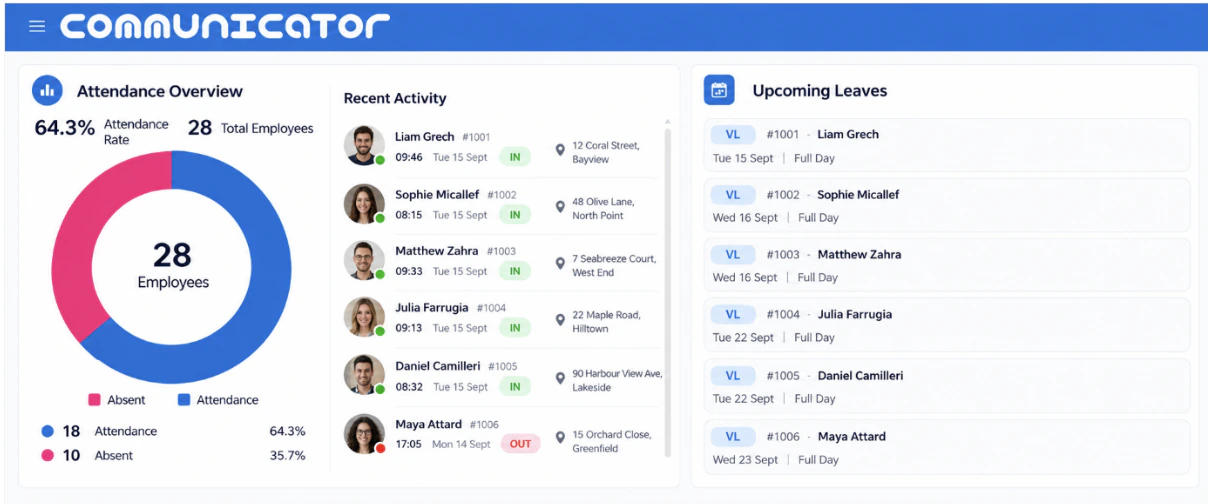
Communicator dashboard showing attendance overview, recent employee activity and upcoming leave.

Some of our clients

Focus this customer list to pause its movement.

Limited offer · 2 months free

Start where every workday starts — the clock-in.

See Communicator Cloud running against your own shift patterns. We'll walk through attendance, rosters, payroll and whichever modules matter to your operation.

Talk to the team

Cloud hosted · nothing to install on site